Text messages
How guests opt in to Wave texts
Wave · Mosex Exhibit 1 LLC · last updated 19 November 2026
Texts are off by default. A guest at a venue running Wave opens the guest app, from their e-ticket or from a QR code at the entrance, and turns on notifications in Settings. Opting in is optional: it is never required to buy a ticket or to use the app. Consent is not a condition of purchase.
1. The guest enters their number, ticks the consent box and taps Send code
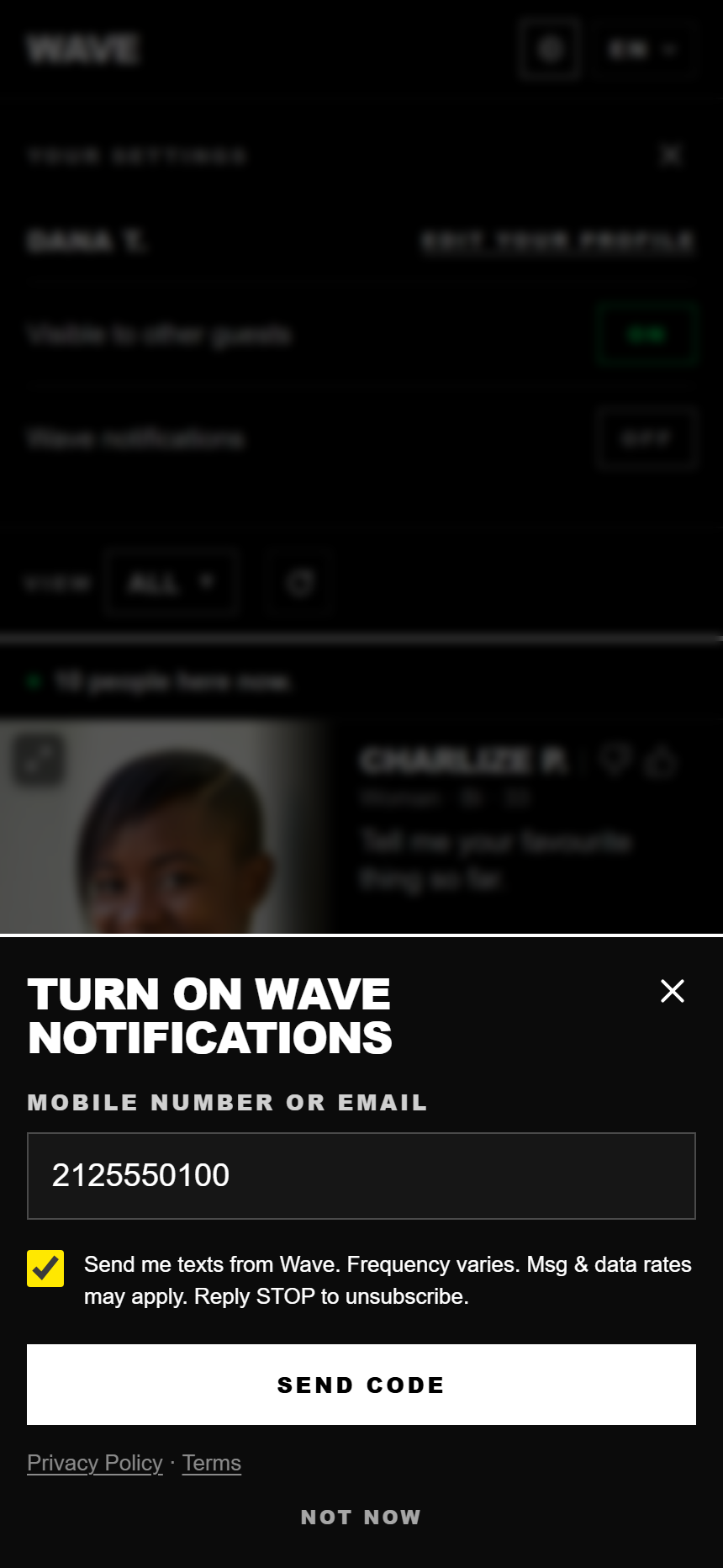
The checkbox starts unticked, and Send code stays off until the guest ticks it. Its words:
Send me texts from Wave. Frequency varies. Msg & data rates may apply. Reply STOP to unsubscribe. Privacy Policy · Terms
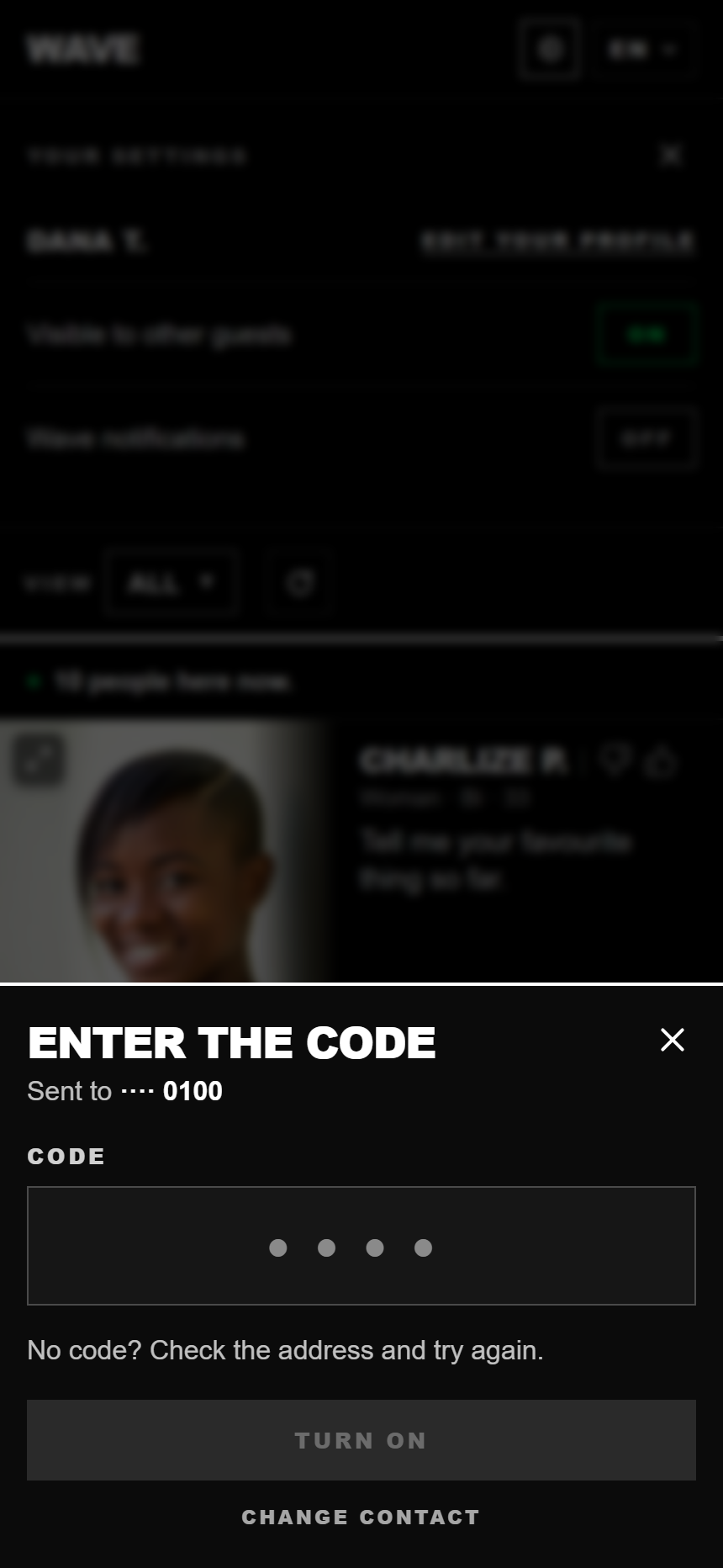
2. They enter the one-time code we text them (double opt-in)
Wave: your code is 4821. It expires in 10 minutes. Never share it.
Reply STOP to stop.
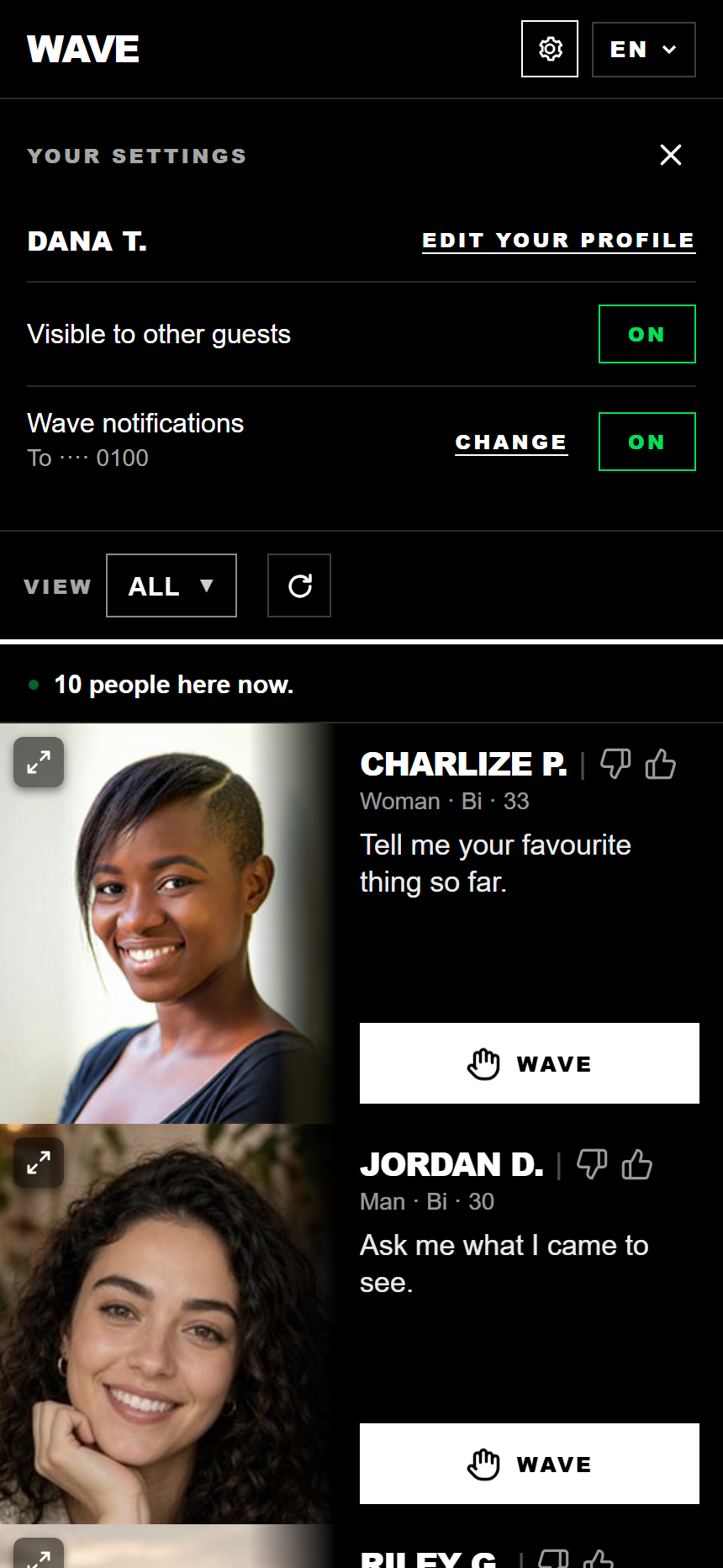
3. Notifications are on, and the number is shown on their profile
They then receive one confirmation text:
Wave: you're opted in to updates for your visit. Msg frequency varies. Msg & data rates may apply.
Reply STOP to stop, HELP for help.
What we do with the number
We do not sell or share your SMS opt-in data or personal information with third parties for marketing purposes. No mobile information will be shared with third parties or affiliates for marketing or promotional purposes. Text-message opt-in data and consent are never shared with any third party. It is used only to send the messages described on this page. It is held only while the visit is active and is deleted when the guest deletes their profile, at the latest when the event closes. A guest can ask us to remove it at any time at hello@getwaved.io.
Every message this program sends
Names, times and the event name vary; the wording does not. "her" follows the other guest's profile (her, him or them). Every text is sent only to a guest who opted in, and only about their own visit.
- On opting in: Wave: you're opted in to updates for your visit. Msg frequency varies. Msg & data rates may apply. Reply STOP to stop, HELP for help.
- A code to confirm the number, or sign in on another phone: Wave: your code is 4821. It expires in 10 minutes. Never share it. Reply STOP to stop.
- A general update: Wave: you have an update. https://getwaved.io/u/7KQ2MXRP
- Something is ready to collect: Wave: something is ready for you to collect. https://getwaved.io/u/7KQ2MXRP
- A place on the waiting list: Wave: Rooftop Social, there's room for you now. Come in within 10 minutes. https://getwaved.io/u/7KQ2MXRP
- Someone waved: Wave: Danielle waved at you. https://getwaved.io/u/7KQ2MXRP
- Several people waved: Wave: Danielle and 2 more waved at you. https://getwaved.io/u/7KQ2MXRP
- They waved back, before both are at the venue (beverage prize): Wave: Danielle waved back at you. You can get your free beverage when she's here. https://getwaved.io/u/7KQ2MXRP
(also "when you're here" or "when you're both here") - They waved back, before both are at the venue (other prize, or none): Wave: Danielle waved back at you. You'll match when she's here. https://getwaved.io/u/7KQ2MXRP
(also "when you're here" or "when you're both here") - A match (beverage prize): Wave: You and Danielle matched. Your beverage is on us. Set up your pickup time with her. https://getwaved.io/u/7KQ2MXRP
- A match (other prize): Wave: You and Danielle matched. Set up your pickup time with her. https://getwaved.io/u/7KQ2MXRP
- A match (no prize): Wave: You and Danielle matched. https://getwaved.io/u/7KQ2MXRP
- A message from the match: Wave: Danielle sent you a message. https://getwaved.io/u/7KQ2MXRP
- The match proposes a pickup time: Wave: Danielle wants to pick up in 15 min. https://getwaved.io/u/7KQ2MXRP
(or "wants to pick up now") - The match agrees to a pickup time: Wave: Danielle agreed to 5:45pm. https://getwaved.io/u/7KQ2MXRP
(or "agreed to now") - One reminder, if a proposed time goes unanswered for five minutes: Wave: Danielle is waiting for your OK: pick up in 15 min. https://getwaved.io/u/7KQ2MXRP
- Reply to STOP: Wave: you're unsubscribed and will get no more messages from us. Reply START to opt back in.
- Reply to HELP: Wave: visit updates you opted in to. Reply STOP to stop. Contact: hello@getwaved.io